Three-dimensional presentation adds depth, camera direction, and hidden space. The challenge is not a single genre mechanic: a 3D racing game, platform game, and shooter may use completely different rules.
The shared skill is learning how screen movement represents movement through the game world. Use stable visual references and separate camera correction from character movement when possible.
Browse 3D browser games for another controlled comparison. Recheck the loss condition and input method before repeating the 3D camera control exercise.
Use ground and horizon references
Floor lines, shadows, road edges, walls, and the horizon help estimate direction and distance.
When an object’s position is unclear, compare it with a fixed surface rather than judging size alone. Objects can appear smaller because they are farther away.
Center the camera before precise movement
Moving while the camera is turning changes the apparent direction of the controls. This can make a correct input feel inconsistent.
Pause or reduce movement, align the camera with the intended route, then move. Fast games may not allow a full pause, but smaller corrections still reduce confusion.
- Identify the forward direction.
- Make one camera adjustment.
- Confirm the route.
- Move with short inputs until the scale is clear.
Read depth from motion
An object that moves quickly across the screen may be close, while a distant object changes position more slowly. This motion difference helps estimate depth.
Use approach speed to judge when to jump, brake, or avoid. Do not rely only on the apparent size of the object.
Choose a view that preserves information
A close camera may provide detail but hide surrounding hazards. A wider camera may improve awareness but make small targets harder to see.
When the game offers a view option, choose based on the next task rather than assuming one camera is always superior.
Reset the camera before precision
Separate camera work from character or vehicle movement. First align the view with a landmark or intended path; only then make the precise movement you want to evaluate.
- Choose a fixed landmark or road edge as a heading reference.
- Align the camera before starting a narrow route, jump or parking turn.
- Use small camera changes while moving and larger changes while stationary.
- After a mistake, decide whether direction, depth or camera alignment caused it.
Control improves when the same movement produces a predictable path from more than one camera angle.
3D spaces that separate camera and movement
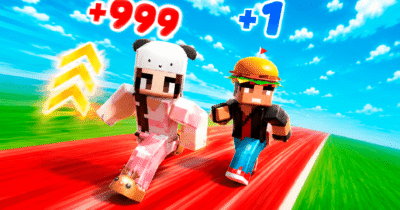
Start the 3D camera control comparison in The Aesthetic World of Obby, which uses WASD movement, mouse camera control, jumping and sprinting in a 3D platform environment. Before increasing pace, align the camera before a precise movement.
3D Maze supports the 3D camera control comparison with gameplay that makes landmarks and turn memory important because walls can look similar after a change of direction. Keep one condition stable while you use landmarks to confirm heading after a turn.
Parking Bus Training broadens the 3D camera control comparison with gameplay that places a large vehicle in a 3D parking task where camera alignment and early steering corrections are important. Use the attempt to decide whether the miss came from depth judgment, camera position, or steering.
Align the view before judging movement
Spend the opening moments learning how camera movement changes control direction. Once that relationship is predictable, depth and route decisions become easier to manage.
Three-dimensional Online Games provide more camera and depth exercises, particularly when landmarks and movement axes remain easy to compare.